
Setting up an employee file
Table of contents
This chapter explains how to set up an employee master record once it has been created. Various information essential to salary management must be entered for each employee.
To create an employee record, refer to the “Create a customer” guide. If this guide takes the example of creating a customer master record, the process remains the same for creating an employee master record.
1. Setting up an employee file
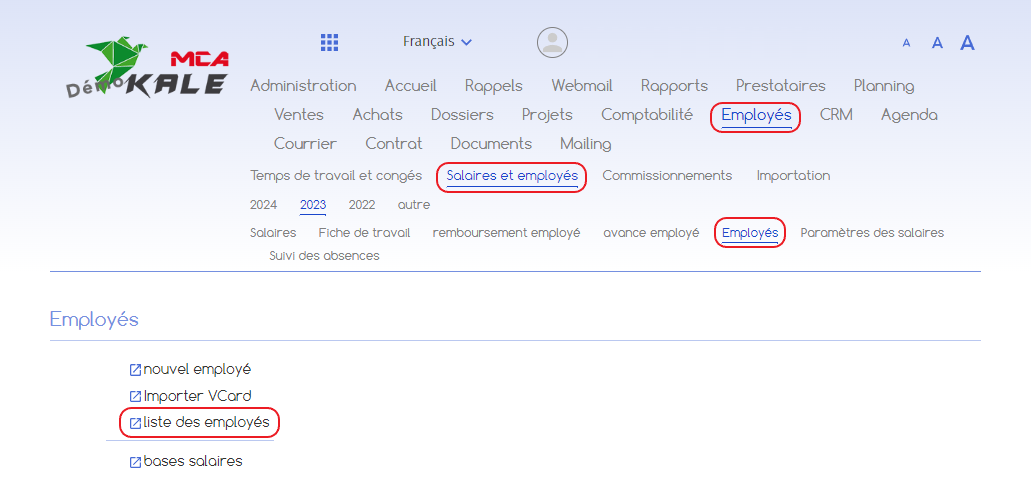
Go to the ‘Employees’ menu, then ‘Salaries and employees’, then ‘Employees’ and click on ‘List of employees’.
Open the employee file you wish to set up.
1.1. Basic parameters
Once on the form, click on ‘Modify’ to enter new data.
Then go to the “Settings” tab at the bottom of the page.
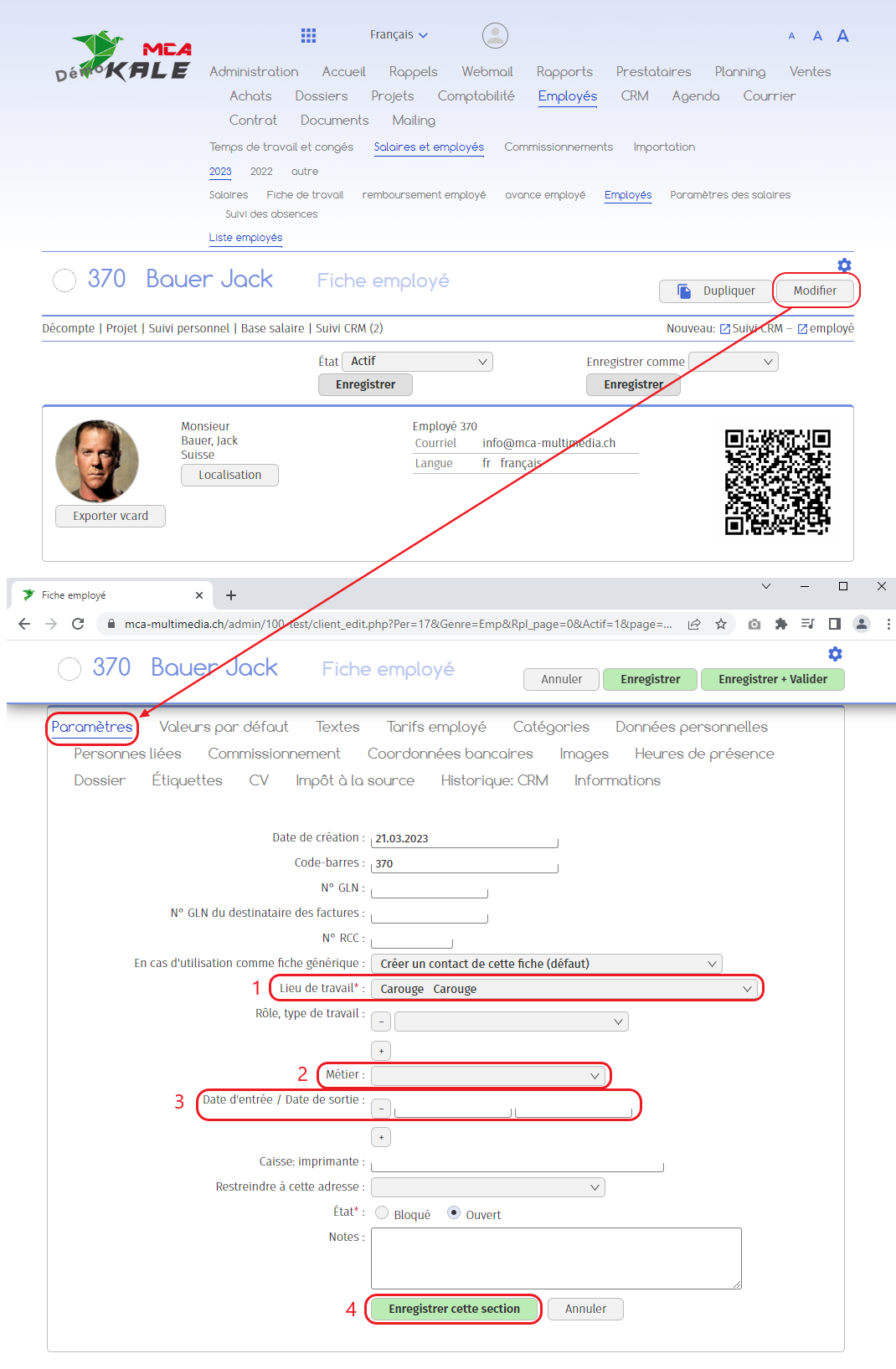
Below are the numbered explanations for each red frame in this image.
1. Specify the employee’s place of work (required for withholding tax, as each canton has its own tax rate);
2. Specify the employee’s job (it is preferable to predefine it for salary settings);
3. Specify the employee’s start date ;
4. Click on “Save this section”.
1.2. Personal data
Go to the “Personal details” tab.
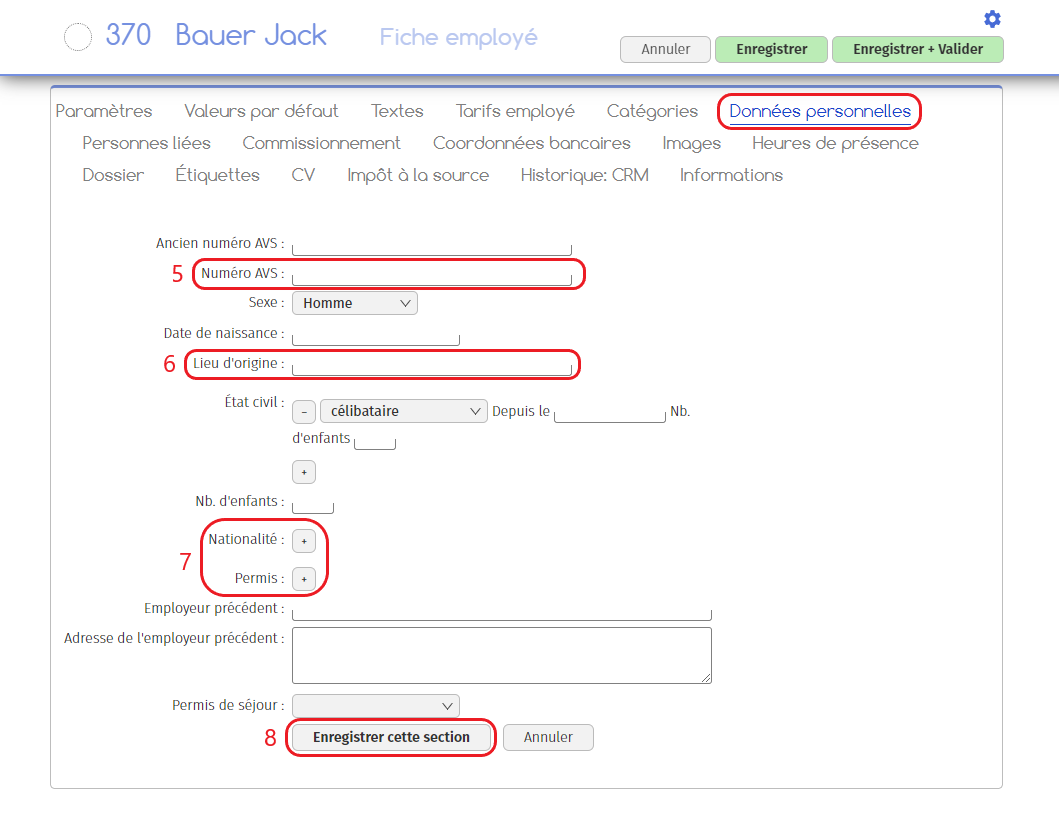
Below are the numbered explanations for each red frame in this image.
5. Indicate the employee’s AVS number ;
6. Indicate the employee’s place of origin ;
7. Indicate the employee’s nationality and any work permit ;
8. Click on “Save this section”.
1.3. Bank details
Go to the “Bank details” tab.
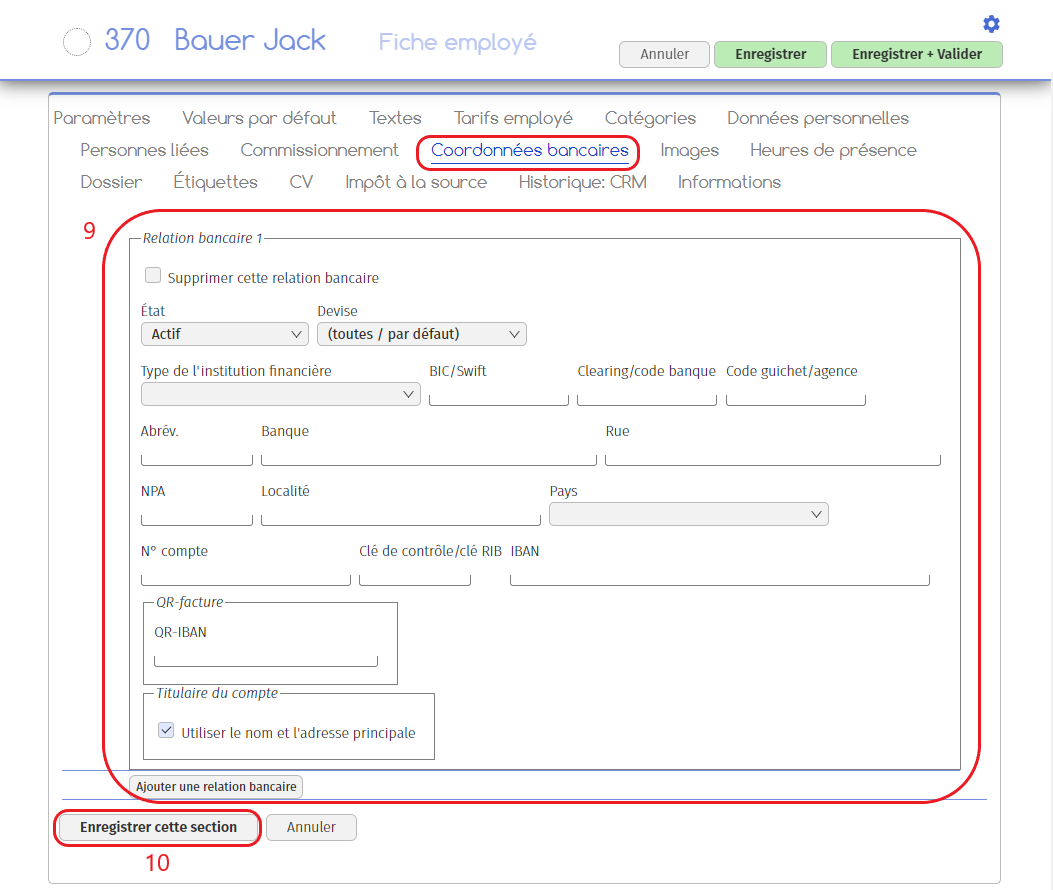
Below are the numbered explanations for each red frame in this image.
9. Fill in the various fields with your bank details;
10. Click on “Save this section”.
Your employee file will contain all the essential information needed to establish the salary basis. You are free to add additional information in the various tabs available.
If you wish to go on to create a salary base, please refer to the “Creating a salary base” guide.