Order cancellation – customer order form
Table of contents
Let’s say you’re a baker.
At 8:00 a customer calls you to order 1kg of bread.
You create an order form, then start the preparations. Once the bread is ready, the delivery driver leaves with the goods.
At 10:00, the customer calls again to cancel the order. Unfortunately, the goods were delivered in the meantime. As the order has been cancelled, the goods will be returned.
This chapter explains how to handle the purchase order when a customer order is cancelled.
1. Cancellation of a customer order
There are two ways to return goods:
A. The purchase order has not yet been inserted in an invoice. You then need to change the information on the order form. This action is used to indicate that the goods are being returned to stock; there is no monetary impact here.
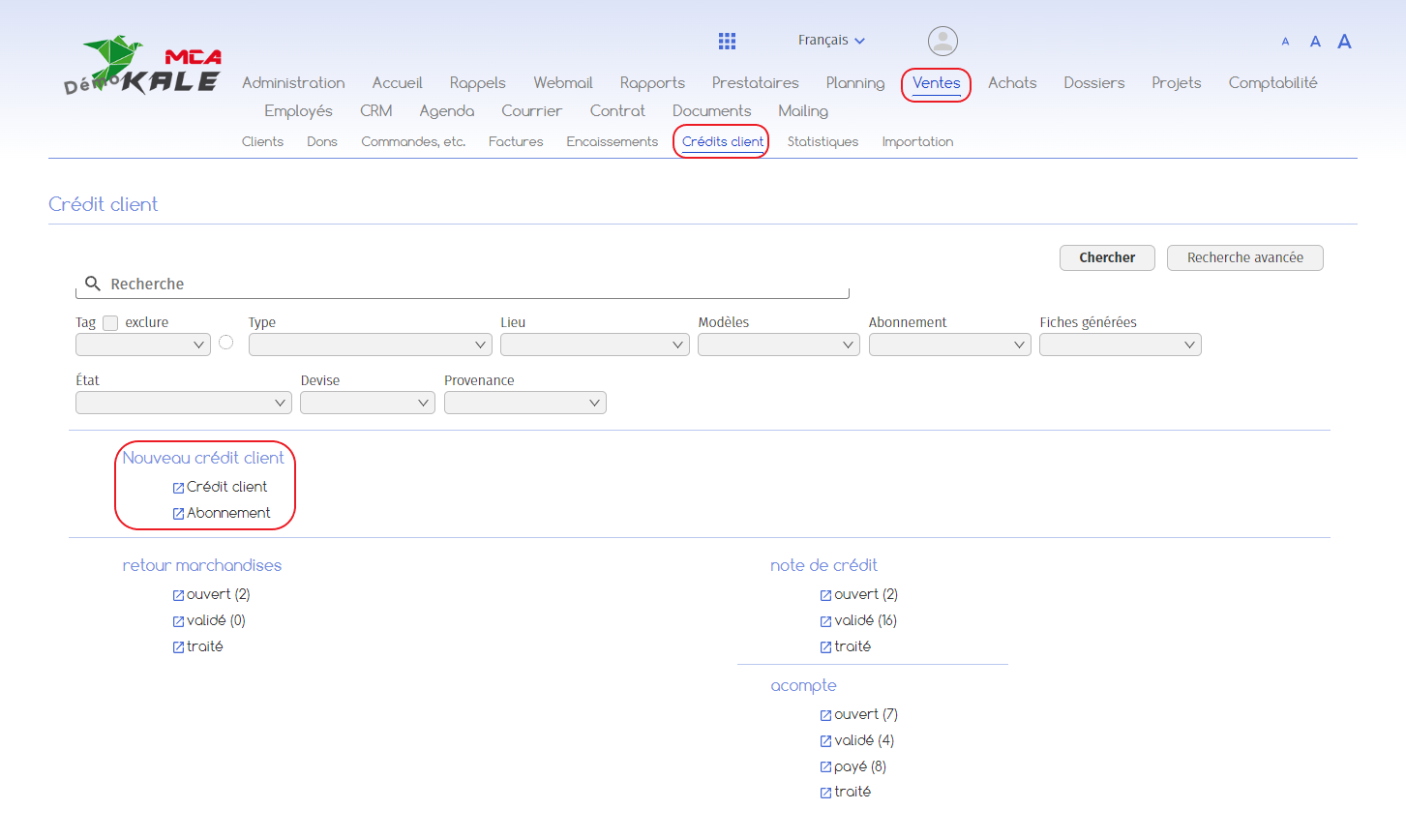
B. The purchase order has been inserted in an invoice. In this case, there are two actions to be carried out in the merchandise return, which is located in the Sales > Customer credits menus. The return of the goods must be recorded in the stock and the reduction in sales recorded by means of a credit note for the customer.
A. Customer order form without invoice
Certain information must be updated on the order form to reflect the return of goods to stock.
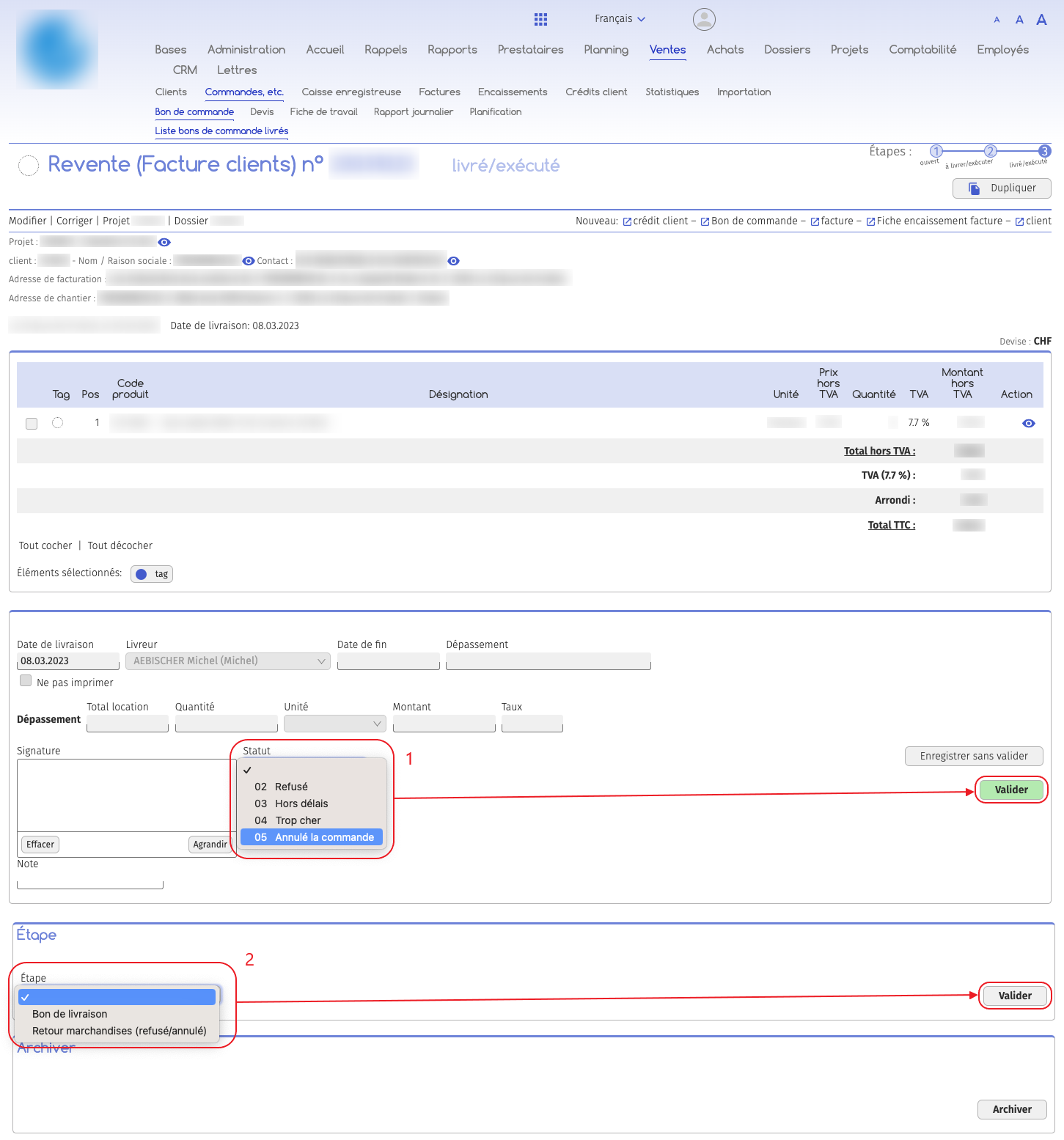
1. The status of the purchase order must be changed. Change the status of the purchase order to “cancelled order”, then click on “Validate”;
2. Pass the order form to the “Return goods” stage. The name of the document will be updated to reflect the change.
In this situation, the document remains the same, with no monetary or accounting impact.
B. Customer order form with invoice
The purchase order has been inserted into an invoice, so it is attached to the accounts. In this case, you need to go to the “Merchandise returns” section in the “Sales” menu, then “Customer credits” to proceed with the valuation of the stock credit based on the merchandise return. This is where the return of the goods to stock is announced and the customer’s credit note prepared.