
Delete a group of accounts (chart of accounts)
This guide explains how to delete one or more groups of accounts. Please note that you cannot delete a group as long as an account is linked to it.
1. Delete a group
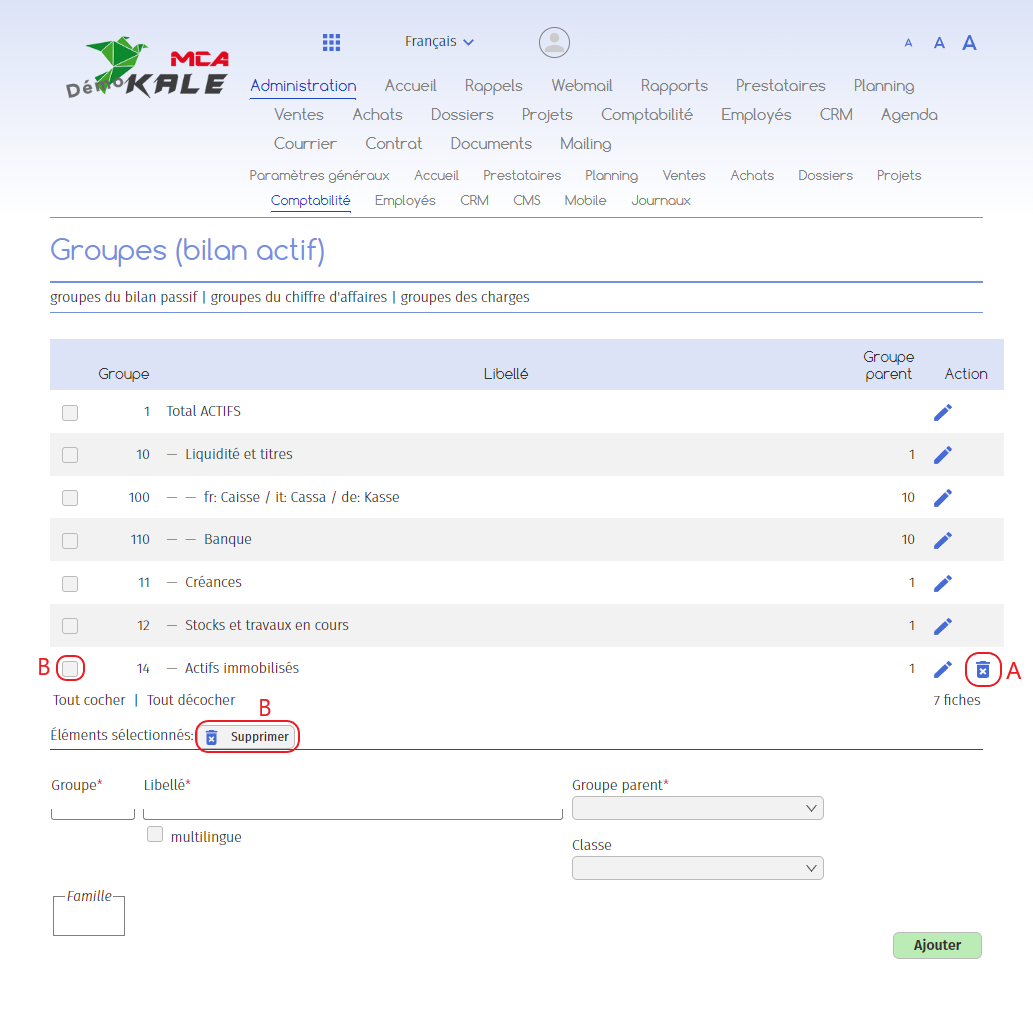
To delete an existing group :
A. Click on the bin in the row of the group concerned. If you do not see the bin icon, this means that at least one account is still linked to the group. You must remove the account from the group before you can delete it.
To delete several groups at once :
B. Tick the box in the row for each group concerned, then click on the “Delete” button.