
Create or modify a group of accounts (chart of accounts)
Table of contents
This guide explains how to add or modify a group of accounts.
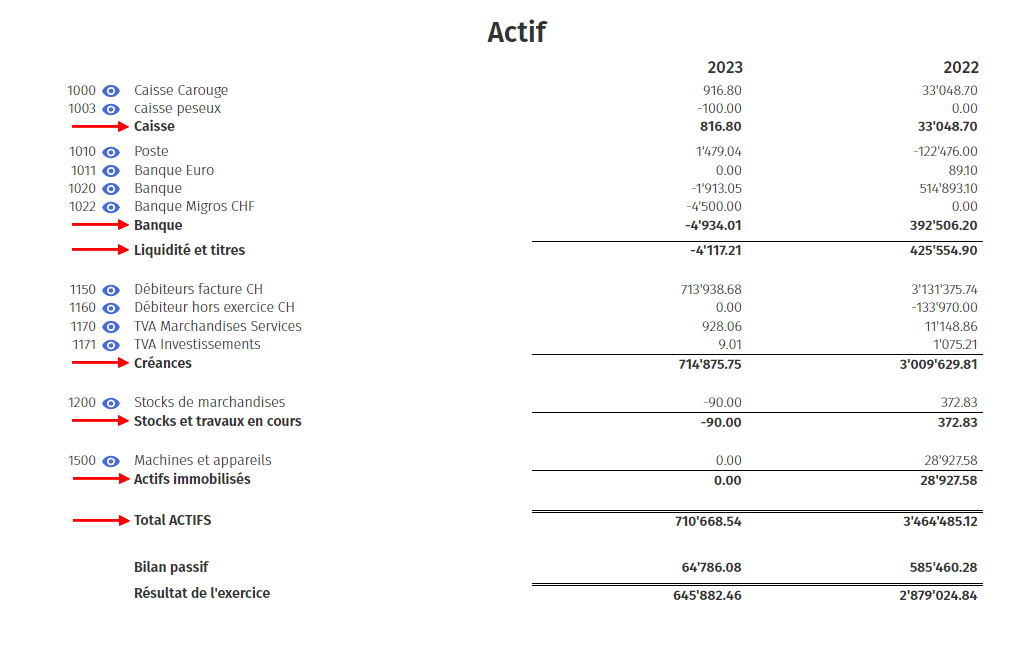
In the software, account groups can be added or modified as required. These groups classify profit and loss accounts (sales, expenses) and balance sheet accounts (assets, liabilities). They are divided into 3 levels according to the chart of accounts: account classes, main account groups and account groups.
Generally, groups already exist in the software by default, but you may wish to change the organisation of the accounts to suit your chart of accounts. You can add multiple main groups and account groups, but only one account class can exist per category (balance sheet assets, balance sheet liabilities, sales, expenses).
You will find an overview of the list of account groups and the accounts classified in these groups when you access the summary of the chart of accounts.
1. Add a group
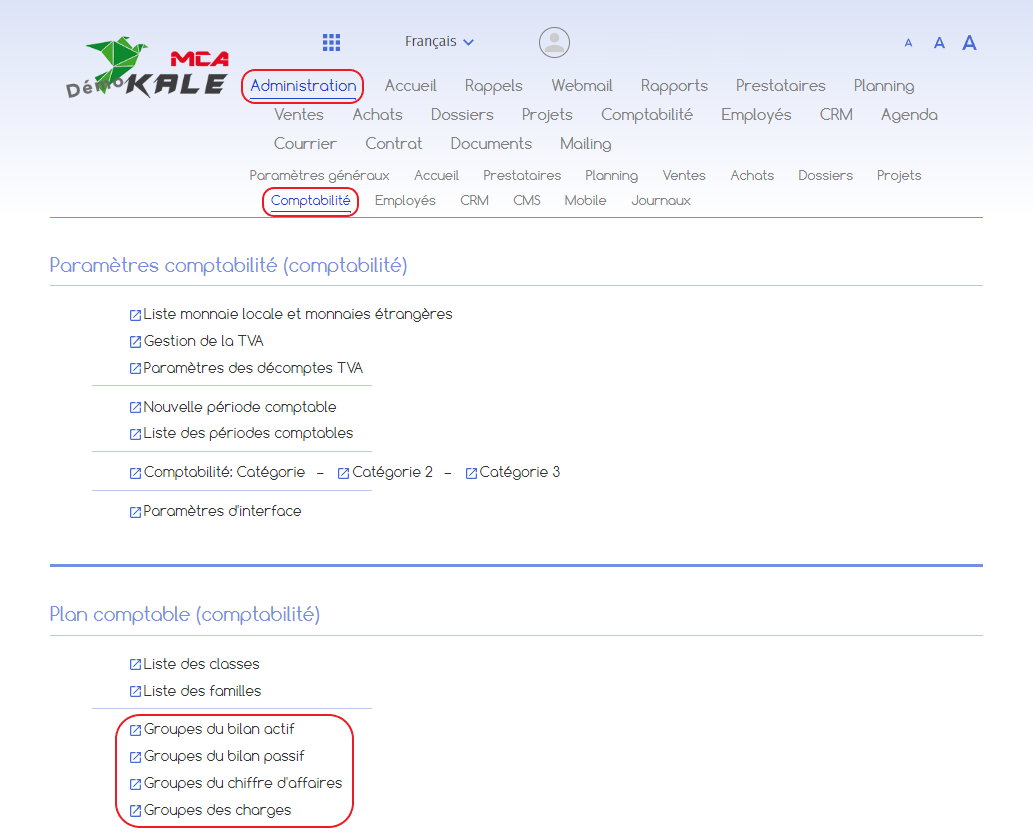
Go to the ‘Administration’ menu, then ‘Accounting’, and click on a group link according to the section of the chart of accounts where you want to add groups.
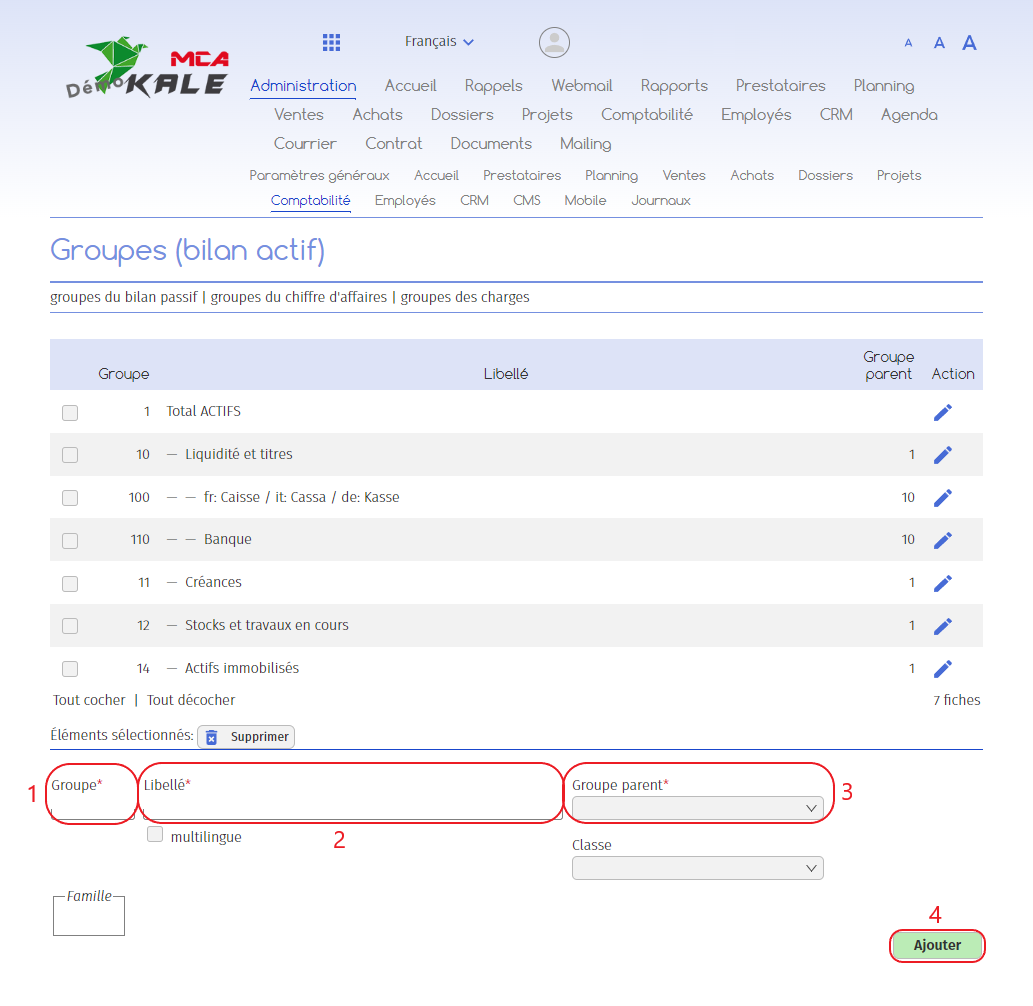
In the fields at the bottom of the page :
1. Add the group number. If it is an account class, number it with a single digit (1 to 9), if it is a main group, number it with a double digit (10 to 99), if it is a group, number it with a triple digit (100 to 999);
2. Add a label ;
3. If it is a main group or account group, link it to a higher-level group ;
4. Click on “Add”.
2. Modify a group
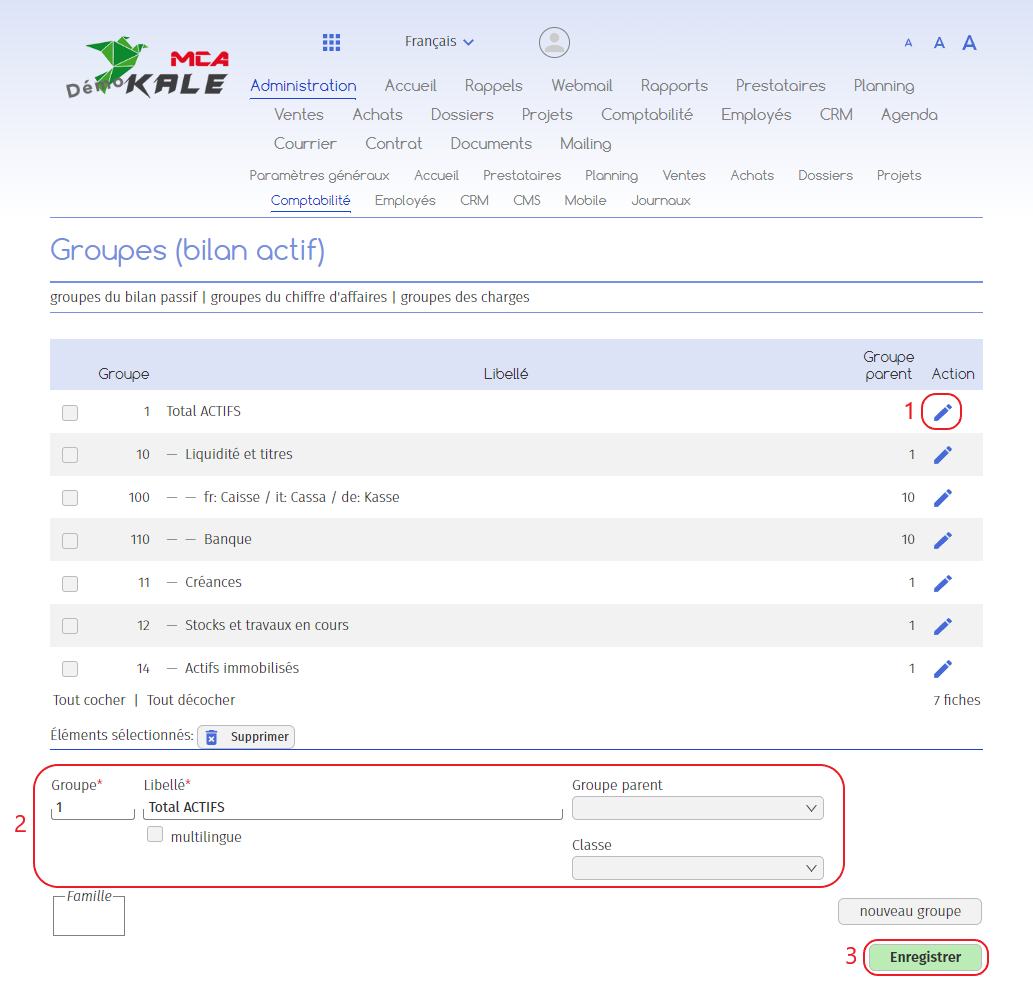
To modify an existing group :
1. Click on the pen next to the relevant group;
2. Modify information as required ;
3. Click on “Save”.