
Closing an accounting period
Table of contents
1. Checking the balance amount
2. Entering the entry
3. Closing of the accounting year
This chapter takes you through the steps of closing an accounting period in your software.
1. Checking the balance amount
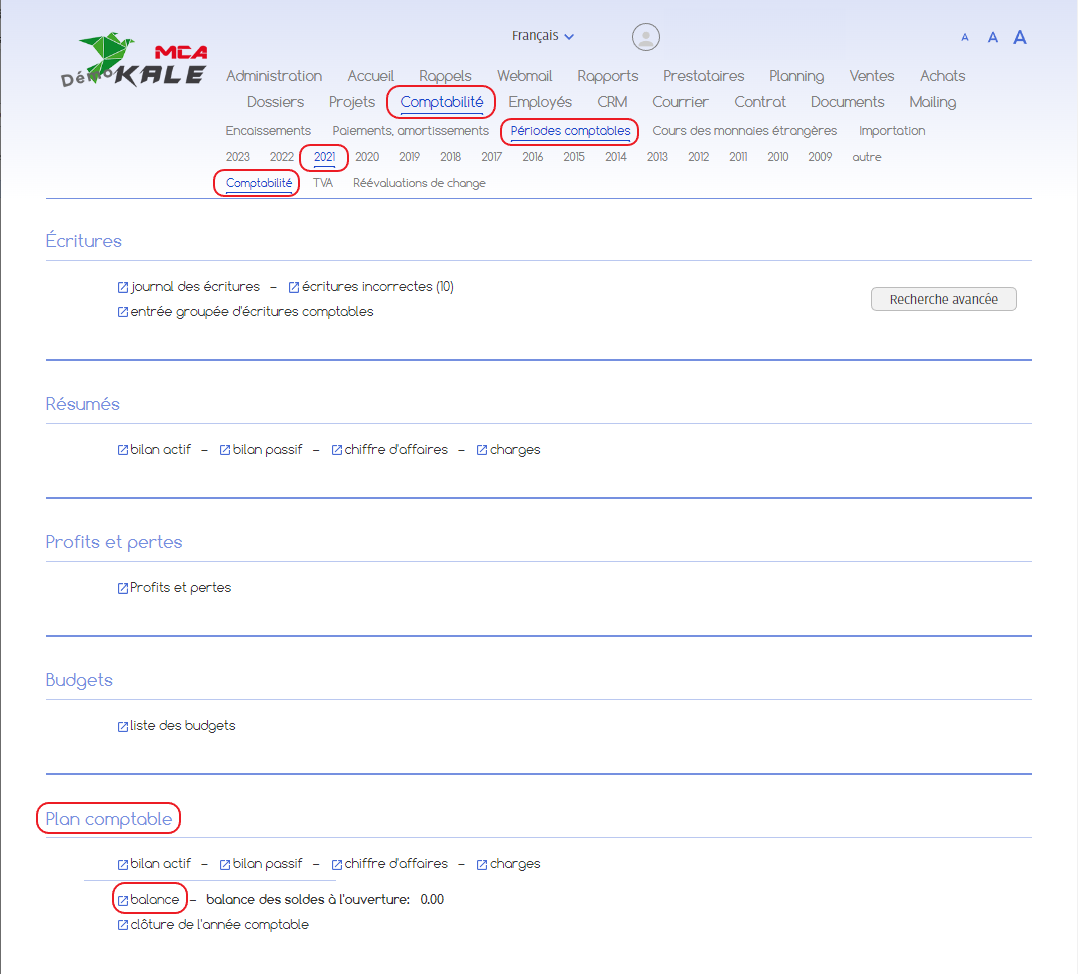
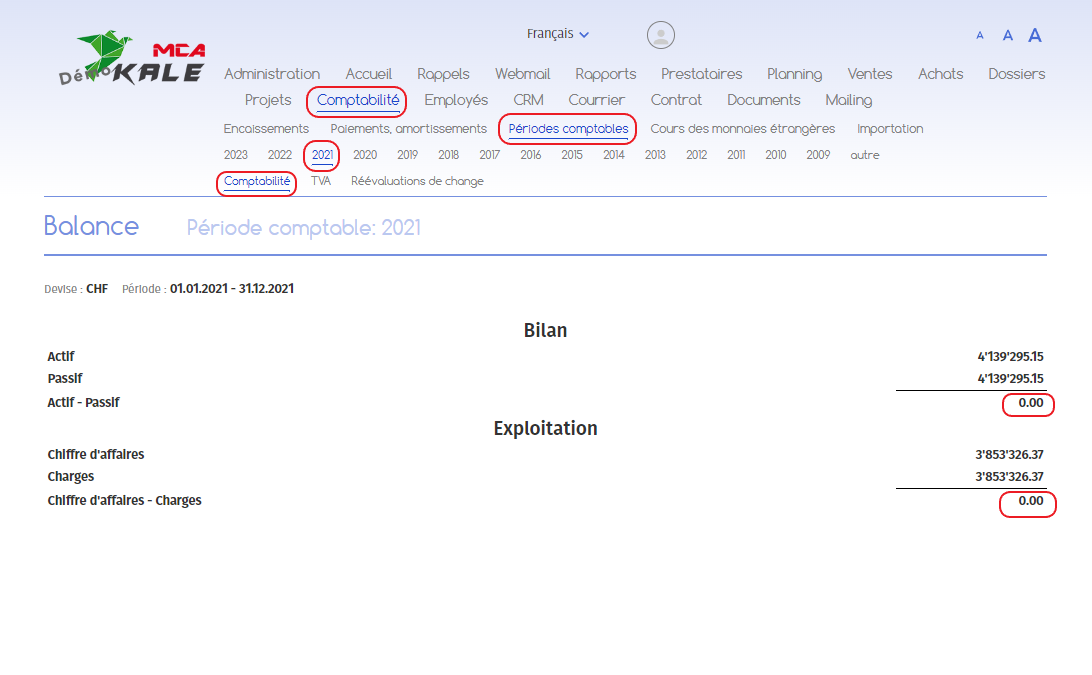
To close an accounting period in the software, first go to the “Accounting” menu, then “Accounting periods”, then select the year you want to close in the submenu and finally go to “Accounting”.
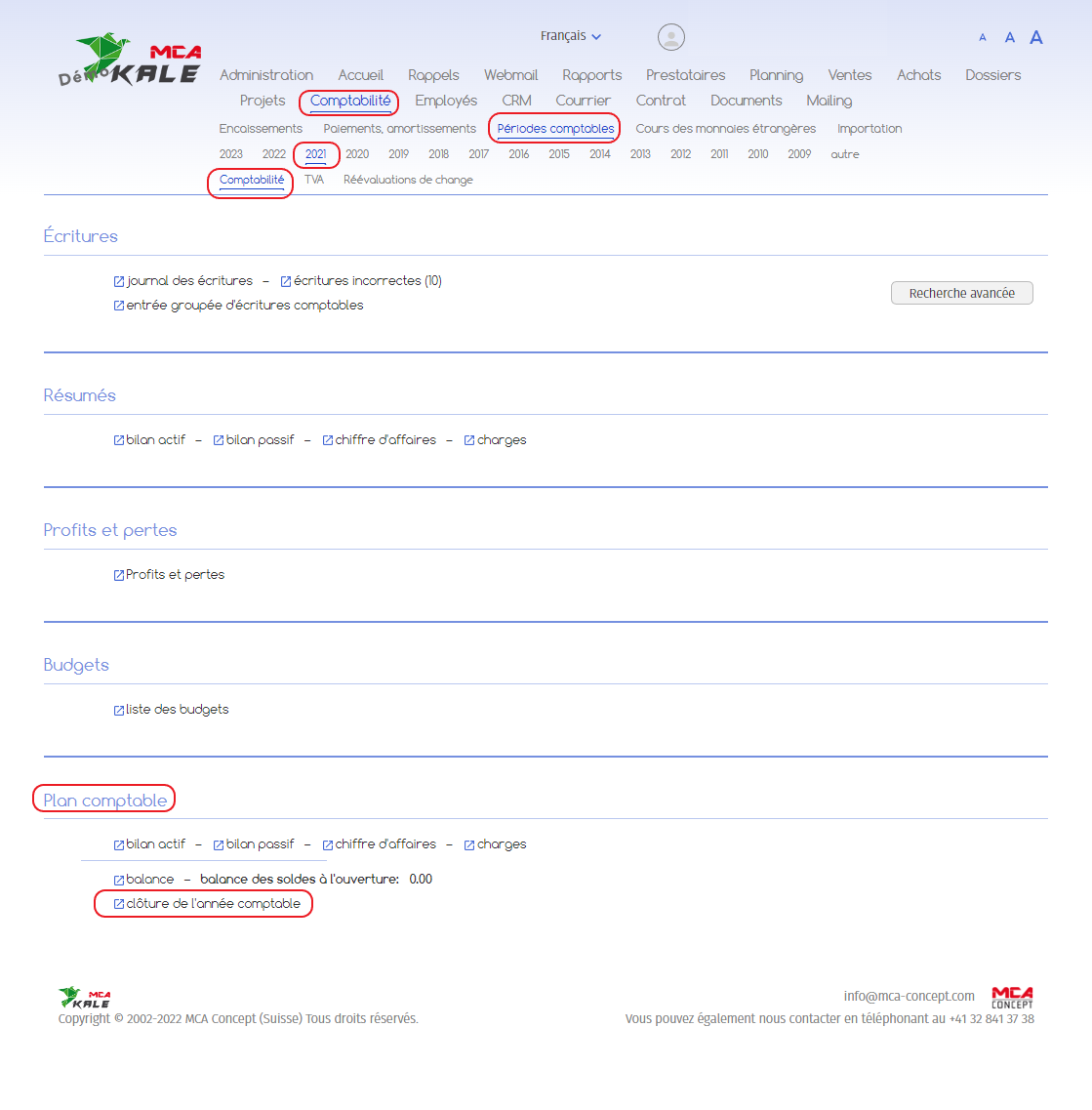
From this page, access the balance by clicking on the “balance” link under the “Chart of Accounts” heading.
In the balance, you will be able to see the amounts to verify that the total amount of the balance sheet and the total amount of the count exploitation are equal.
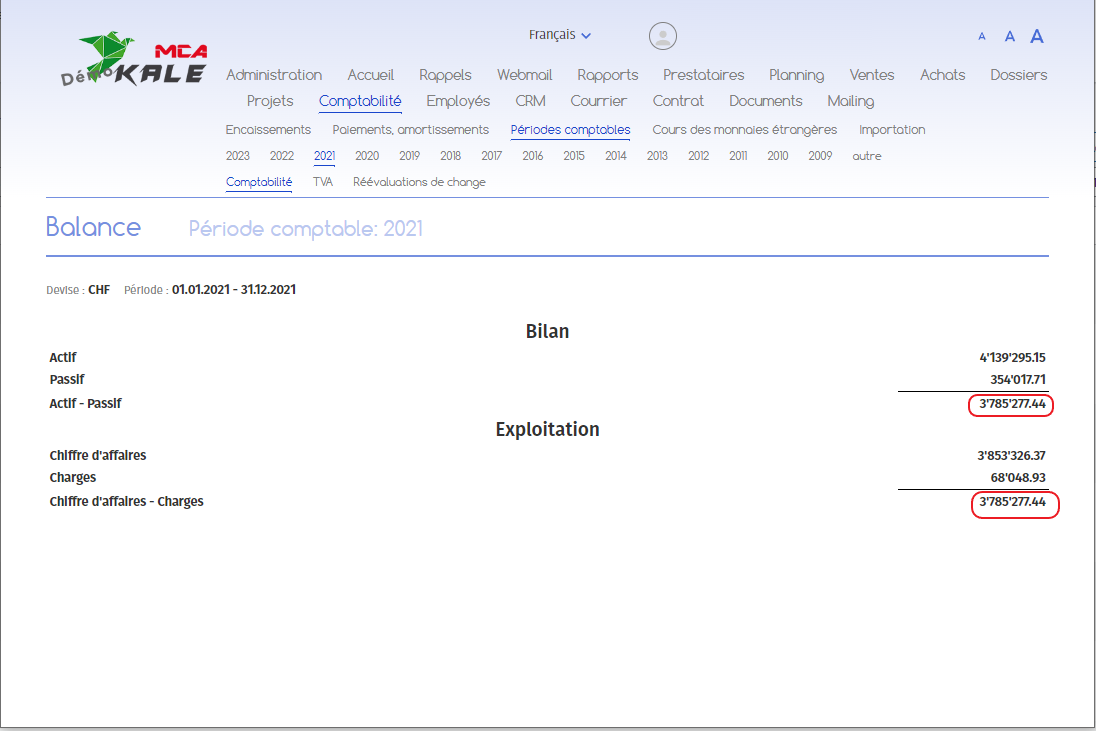
Write down the amount of the balance, you will need it for the next step.
2. Entering the entry
You now need to make a manual entry in the journal entries in order to make the closing entry.
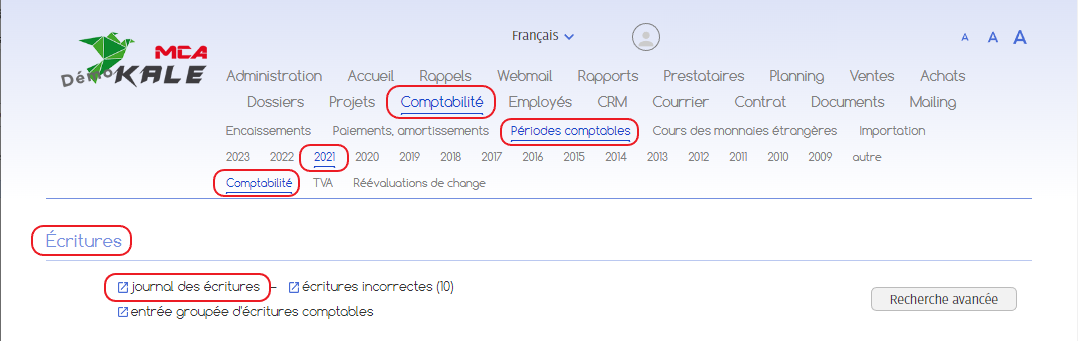
Return to the previous page (Accounting > Accounting periods > (year to be closed) > Accounting). To access the journal of entries, click on the “Journal of entries” link under the “Entries” heading.
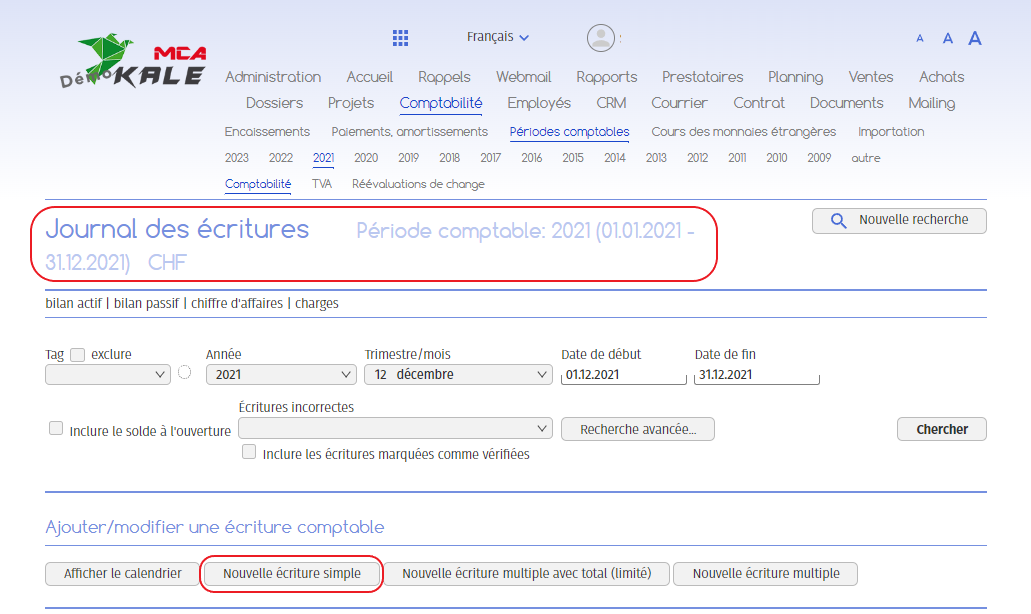
On the open page, click on the “new simple entry” button.
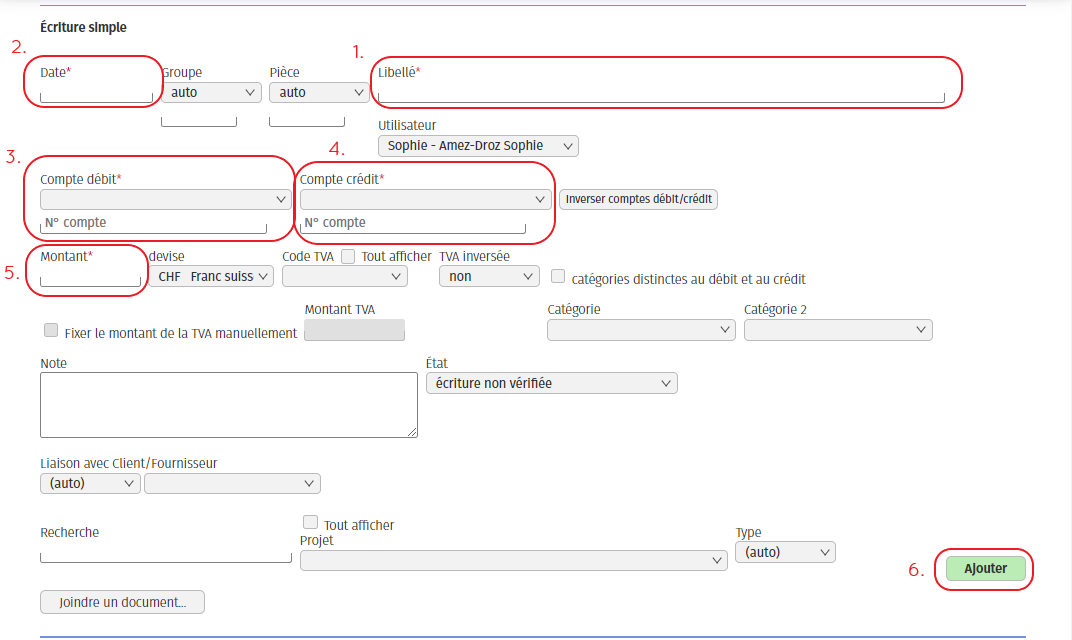
Here you will find the numbered instructions for each red frame in the image above.
1. Choose the wording of your entry ;
2. Indicate the date on which the entry should be made;
3. Select the “Résultat de l’exercice” (Profit or Loss for the Year) account as the debit account ;
4. Select the “Bénéfice/Perte de l’exercice” (Profit/Loss for the Year) account as the credit account;
5. Add the amount of the balance (remember to remove the ” ‘ ” from the amount) ;
6. Click on “Add” to create your entry.
Once this is done, the scale will be set to zero.lance sera mise à zéro. You can then close the accounting year.
3. Closing of the accounting year
Last step: go back to the previous page (Accounting > Accounting periods > (year to be closed) > Accounting), then click on the link “closing the accounting year” below the title “Chart of Accounts”.
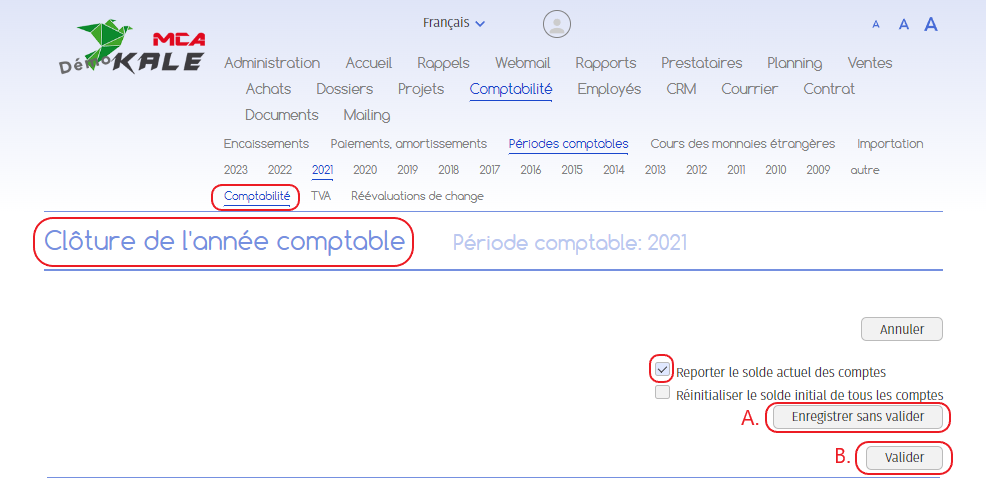
From this page :
A. If you have not completed your transactions, you can carry forward the balance to the new year without closing the period by keeping the corresponding box checked and clicking on the “Record without validating” button ;
B. You can close the accounting period definitively by clicking on the “Validate” button.