
Change your password
This guide explains how to change your user password.
1. Change password
First, access your account preferences by following the instructions below:
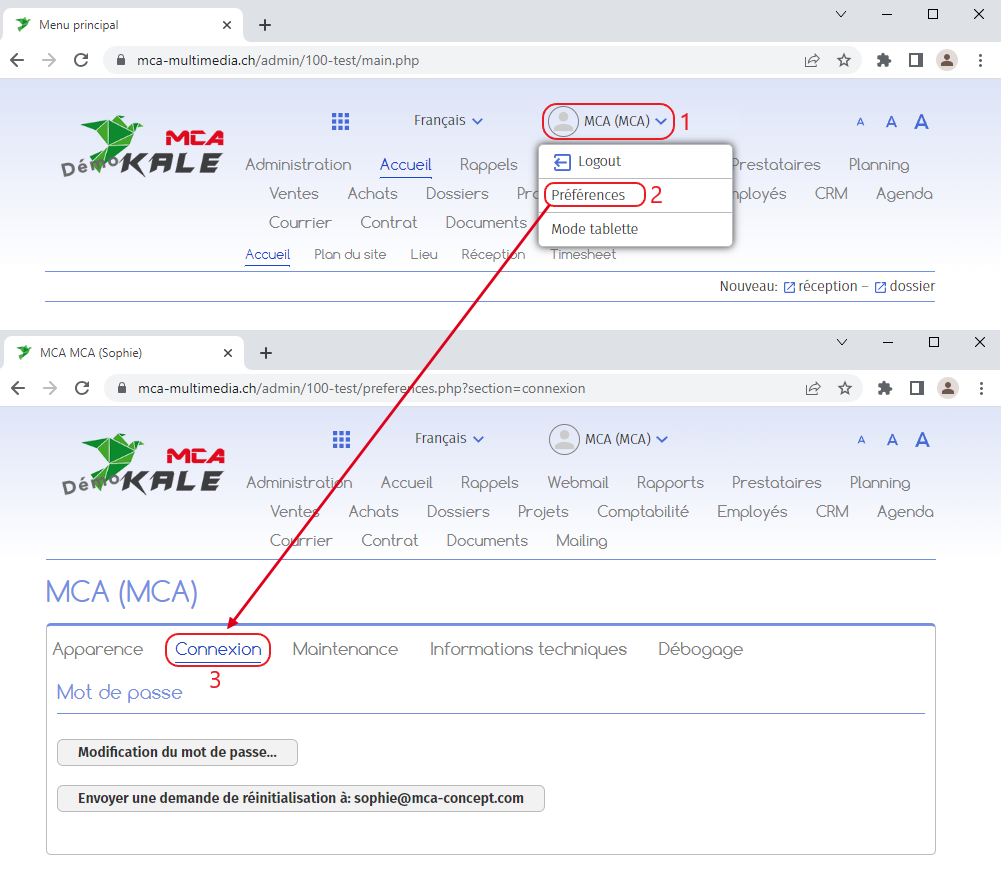
1. Click on your user name ;
2. Click on “Preferences”;
3. On the page that opens, go to the “Login” tab.
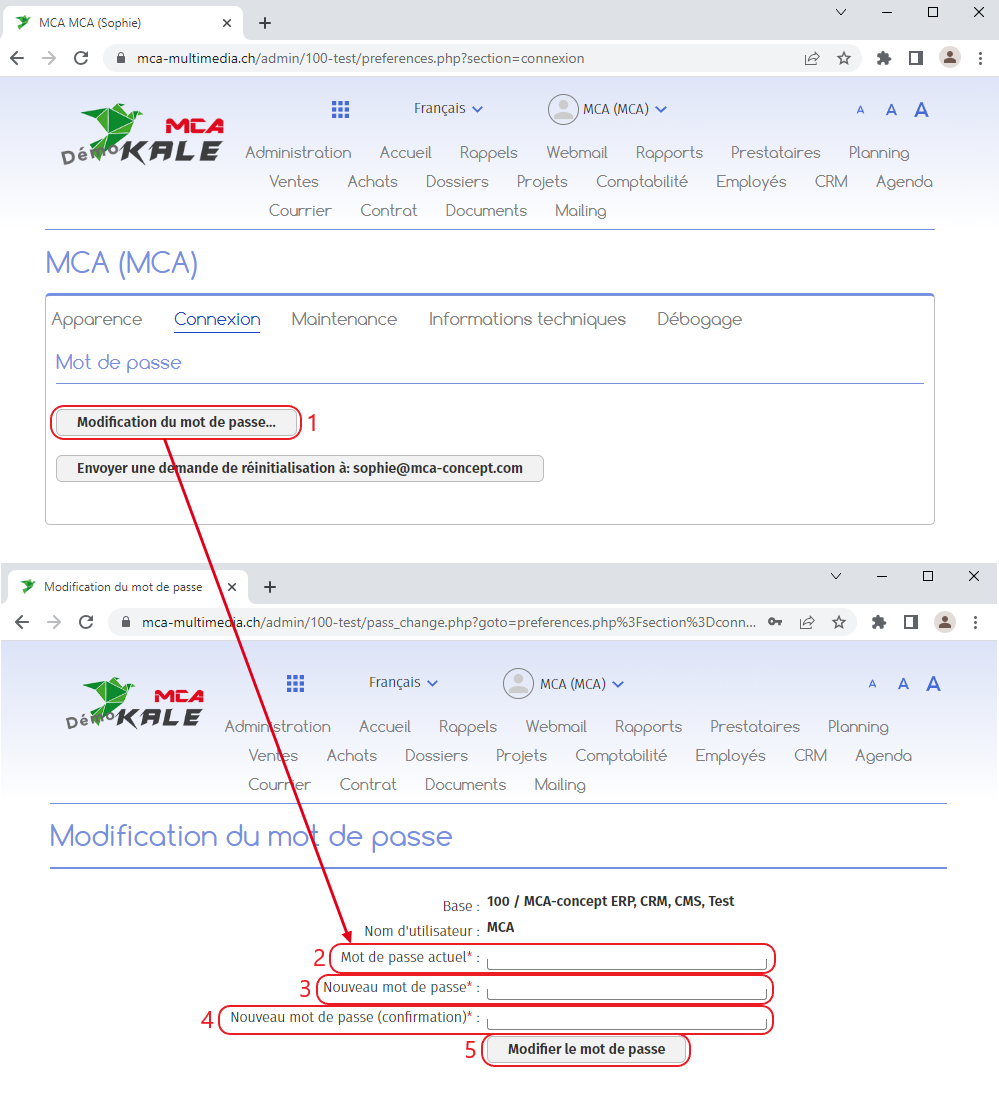
To change your password :
1. Click on “Change password” ;
On the page that appears :
2. Enter the current password;
3. Enter the new password;
4. Confirm the new password;
5. Click on the “Change password” button.
Once you’ve changed your password, you’ll be able to use the new one the next time you log on.