About the posting journal
Table of contents
General operation
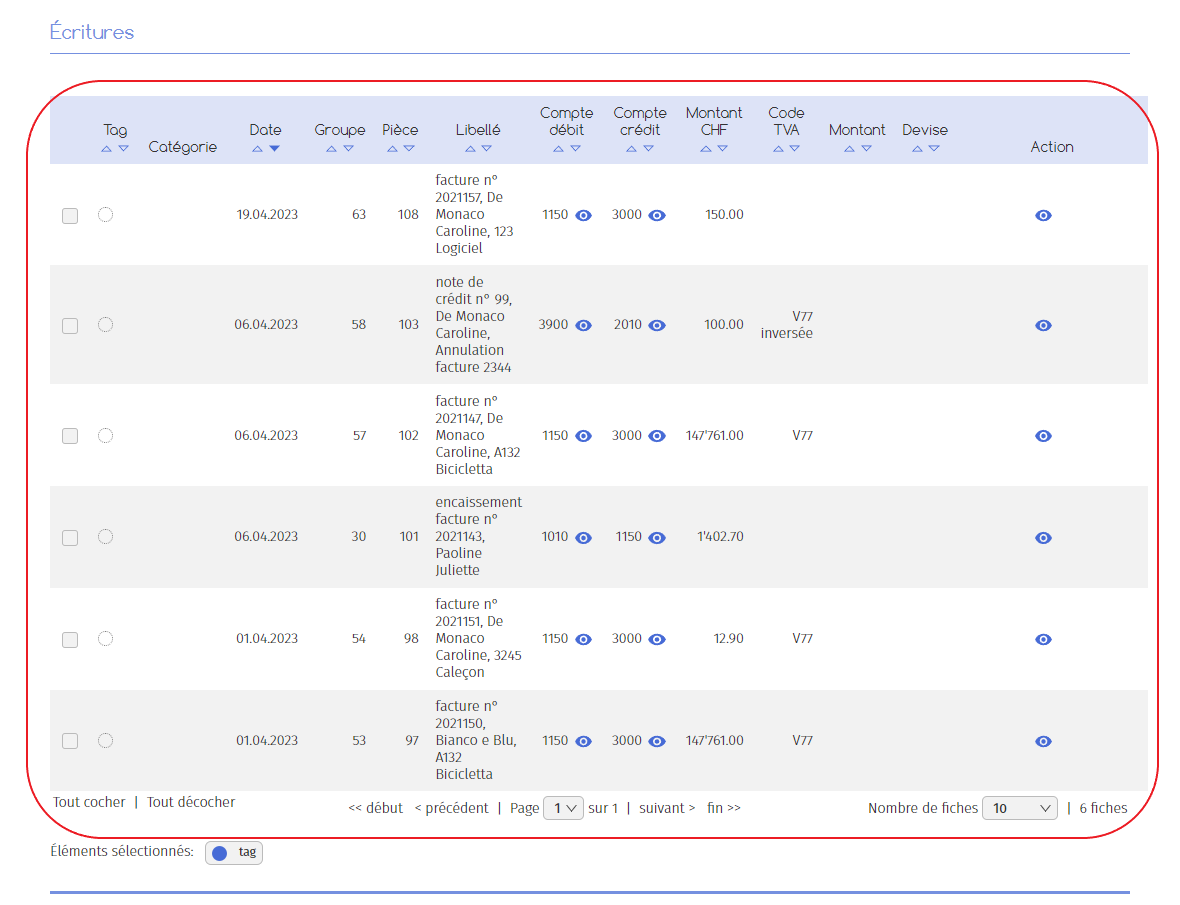
In the accounting section of the software, you will find the journal of entries. As its name suggests, this journal lists the entries made (manually or automatically) over an accounting period, classifying them in a table by date, label, amount, etc. as you wish.
You can enter new accounting entries in this journal.
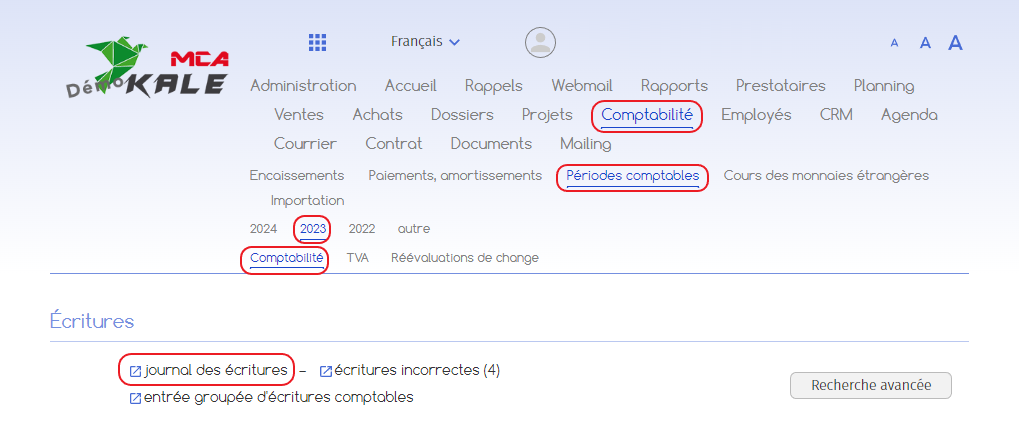
The journal of entries can be accessed via the Accounting > Accounting periods > [année en cours] > Accounting menus. Click on the “journal of entries” link to open the journal.
This is how the log looks in the software:

Here, the software allows you to :
A. enter a simple entry
B. enter a multiple entry with total
C. entering a multiple entry

Instructions for entering a new simple entry are given in the next section. The procedure is similar for other types of entry.
1. Entering a simple accounting entry
Click on the “New simple entry” button. The fields allowing you to enter a new entry will appear below.


Below are the numbered explanations for each red frame in this image.
1. Enter the date;
2. Enter the wording ;
3. Choose the debit account and the credit account (For example, in the case of a supplier payment, choose debit account 4000 Purchases of materials and credit account 1020 Bank);
4. Specify the amount ;
5. Choose the VAT code and specify whether it is reverse VAT or not.
6. You can link the entry to a customer or supplier. Specify the type of contact (customer, supplier, etc.), then select the person or company concerned.
7. Click on “Add” to create the entry.
The entry is then added to the entries table.