
Send an invoice to a service provider (insurance, etc.)
Table of contents
The software lets you send a customer invoice directly to a service provider, usually the customer’s insurance company.
From an invoice, you can create a cover page containing the service provider’s address and other relevant information. This page will be attached to the invoice when it is sent or printed. A covering letter, such as an assignment of credit, can be added to the cover page.

This guide explains how to proceed
1. Create an accompanying document
Let’s say a customer has had their car repaired in your garage following an accident and you need to send their insurance company the invoice for your services.
You can send an invoice to a service provider when it is awaiting payment. To do this, you will create a cover page and, if necessary, a covering letter.
Open the invoice concerned, then go to the “Document for service provider” tab at the bottom of the page. Click on “New document”.
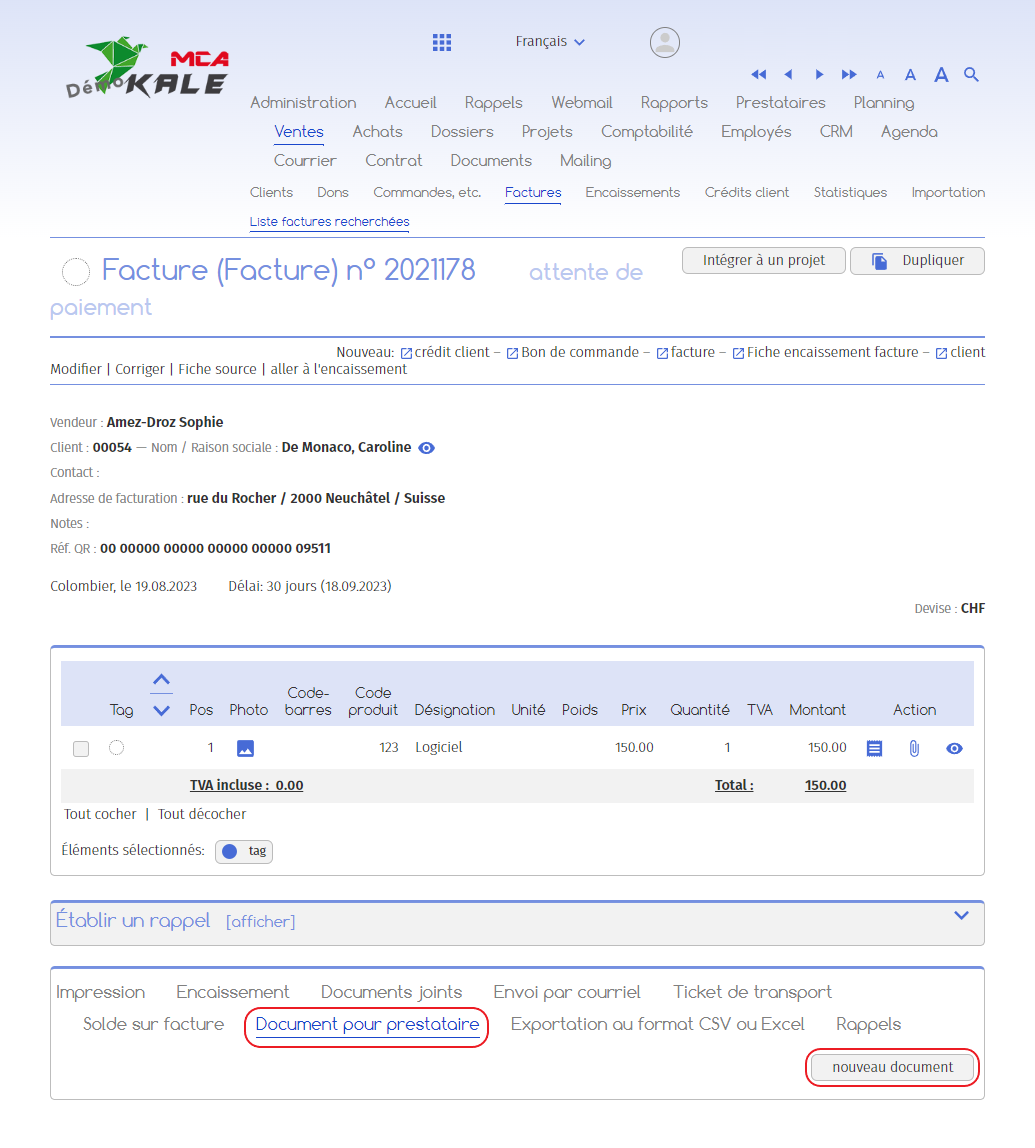
This document will enable you to create a cover page to accompany the invoice.
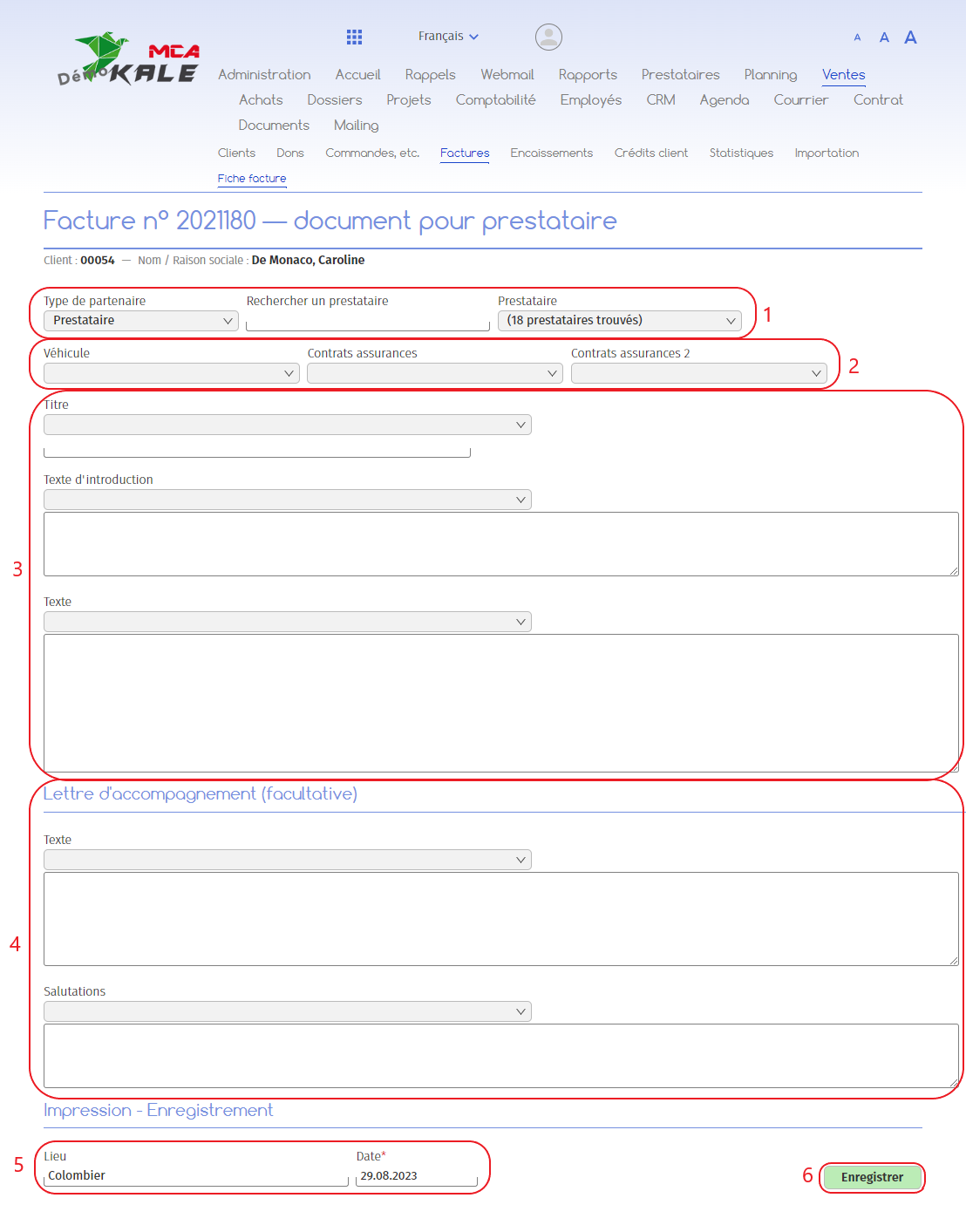
Below are the numbered explanations for each red frame in this image.
1. Add the provider ;
2. Add the vehicle and/or the relevant insurance policies;
3. Enter the title, introductory text and text for your cover page. You can either enter the text manually, or retrieve an existing template via the drop-down menus;
4. In addition to the cover page, you can add a covering letter if required. This allows you, for example, to send an assignment of credit informing the insurance company that the owner agrees to your company collecting the insurance money;
5. If necessary, change the date and place of dispatch;
6. Click on “Save”.
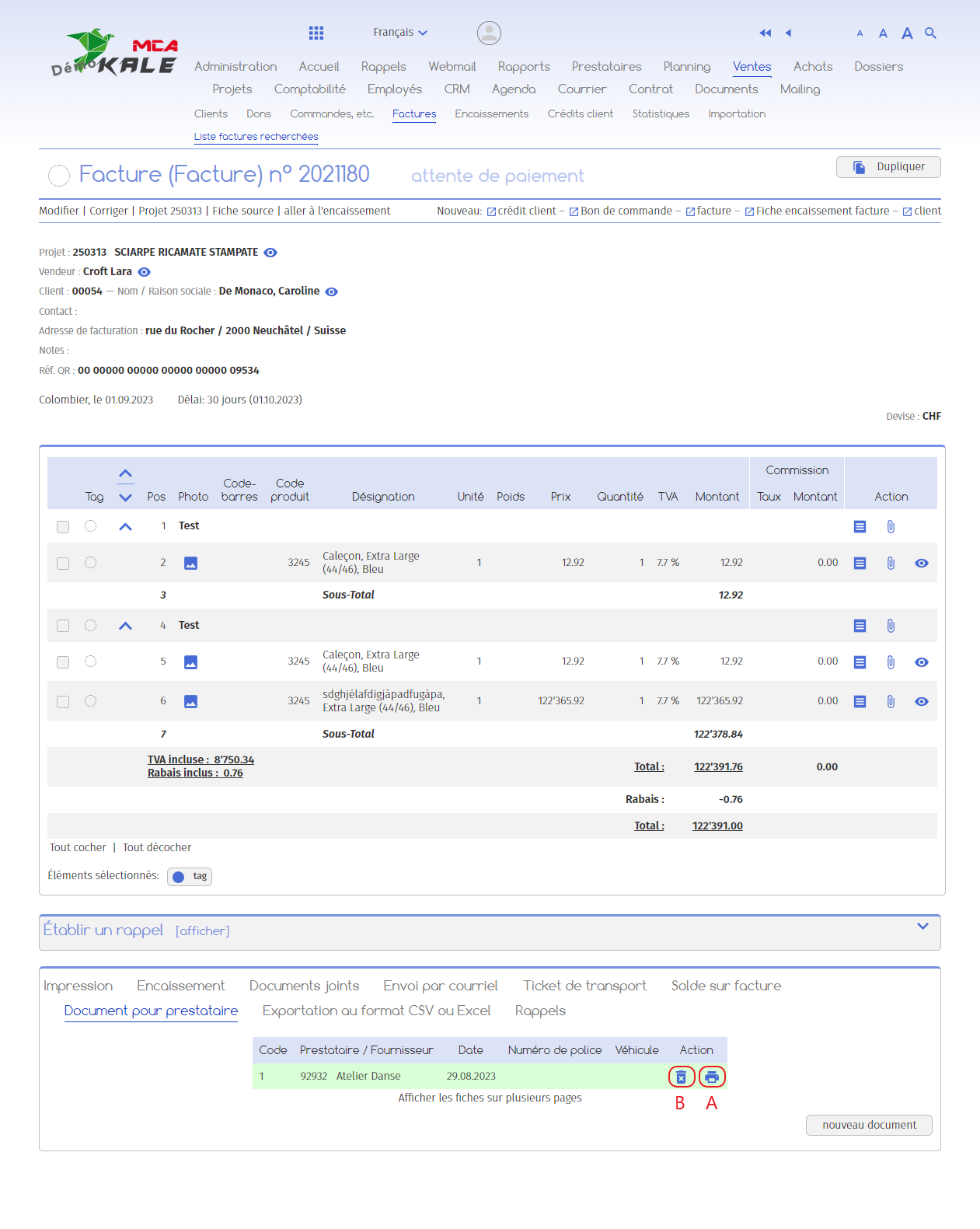
A pdf has been generated with your cover page and any covering letter, displaying the insurance company’s address on the front page.
You can choose to :
A. Download PDF document,
B. Delete the document.
You can print out these documents and the invoice and send them by post.
If you wish to send the documents with the invoice attached directly by e-mail, you can ask the MCA Concept technicians to add this option.